
Getting started
Creating an account and logging in
Access Trailmaker at: https://app.trailmaker.parsebiosciences.com/
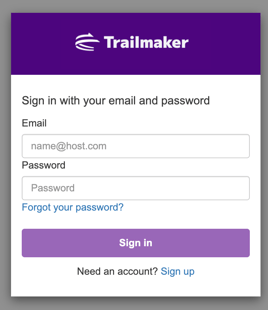
If you already have an account, simply input your email address and password to log in.
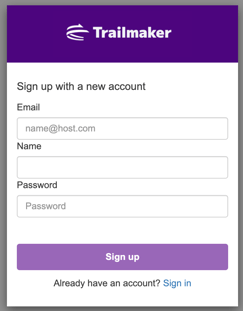
If you do not have an account already, click “Sign Up” to create one. Creating an account takes only a few minutes. Provide your email address and name and set a password. You’ll need to verify your email address by clicking the link in the email that is automatically sent to you during the signup process.
Supported browsers
It is highly recommended that you access Trailmaker via Google Chrome®. Trailmaker has been fully tested on Chrome browser. While other browsers such as Firefox®, Safari® and Microsoft Edge® may work, the performance may not be optimal and some features may not be fully supported.
Navigation
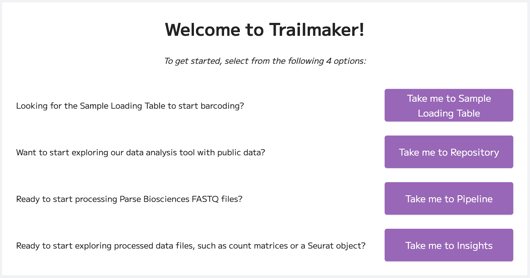
On your first visit to Trailmaker, you’ll be directed to a landing page that outlines the major use cases of the platform and directs users to the relevant module:
- The Sample Loading Table module is where you can complete the sample loading table to help accurately load your round 1 barcoding plate(s). This module is currently in beta mode and supports Evercode WT mini, WT, and WT mega kits with standard fixation and/or Integra automation capabilities. Sample loading tables for WT Mega 384 and WT Penta and Penta 384 kits, and all low input fixation experiments, are available to customers on our support suite.
- The Dataset Repository is where you can start exploring the platform features and functionality with public data.
- The Pipeline module is where you can upload your Parse Biosciences Evercode FASTQ files for alignment to your selected genome. The Pipeline module outputs include reports, downloadable count matrices and automated integration with downstream Insights module.
- The Insights module is where you can upload files that have already been pre-processed in order to conduct downstream analysis and visualization. Supported file types include: output files from the Pipeline module, count matrices of multiple technology types including Parse Biosciences, 10x Chromium™ and BD Rhapsody™, H5 files, and Seurat objects. Alternatively, you can choose to explore one of the demo datasets from the datasets repository.
The first time you access the Pipeline or Insights modules within Trailmaker, you’ll be prompted to agree to the Trailmaker privacy policy and terms of use. Acceptance of these terms is mandatory to use the Pipeline and Insights modules in Trailmaker. Note that the Sample Loading Table module can be used without agreeing to the terms. You can view the policies and terms of use at any time by accessing your Account Settings.
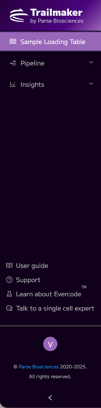
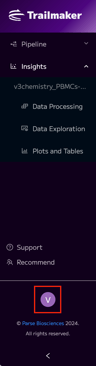
When you’re logged into Trailmaker, you can navigate between the modules using the navigation bar on the left side. Note that the tabs available within the Pipeline and Insights modules collapse when those modules are not selected. The images below show the navigation panel view when the Sample Loading table (left), Pipeline (middle) and Insights (right) modules are selected:
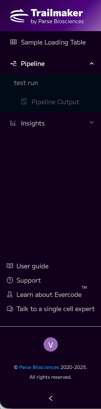
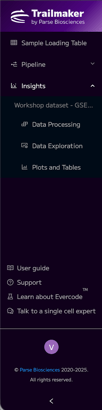
Navigation to some modules may be restricted by the current state of your analysis. For example, navigation to the Pipeline Output tab of the Pipeline module is dependent on a Pipeline Run being triggered. Similarly, navigation to the tabs within the Insights module (Data Processing, Data Exploration and Plots & Tables) is dependent on successful data upload to this module.
Account settings
The account settings menu can be found in the bottom left corner. In the account settings menu, you can change your name and password, and access the Trailmaker terms of use agreements.
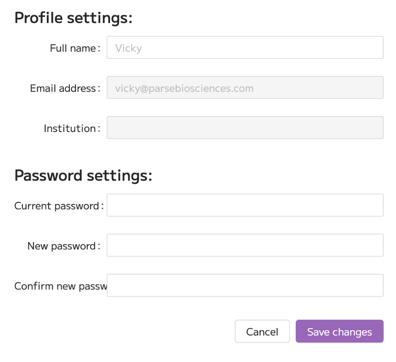
Note that it is not possible for the Parse Biosciences team to change the email address associated with your Trailmaker account. If your email address changes, we recommend that you sign up for a Trailmaker account with your new email address and then transfer the ownership of all Runs and Projects in your existing Trailmaker account to the account registered with your new email address.
TrailGuide chatbot
On the bottom right corner of Trailmaker, clicking the compass icon allows you to access the TrailGuide chatbot to support your data analysis.
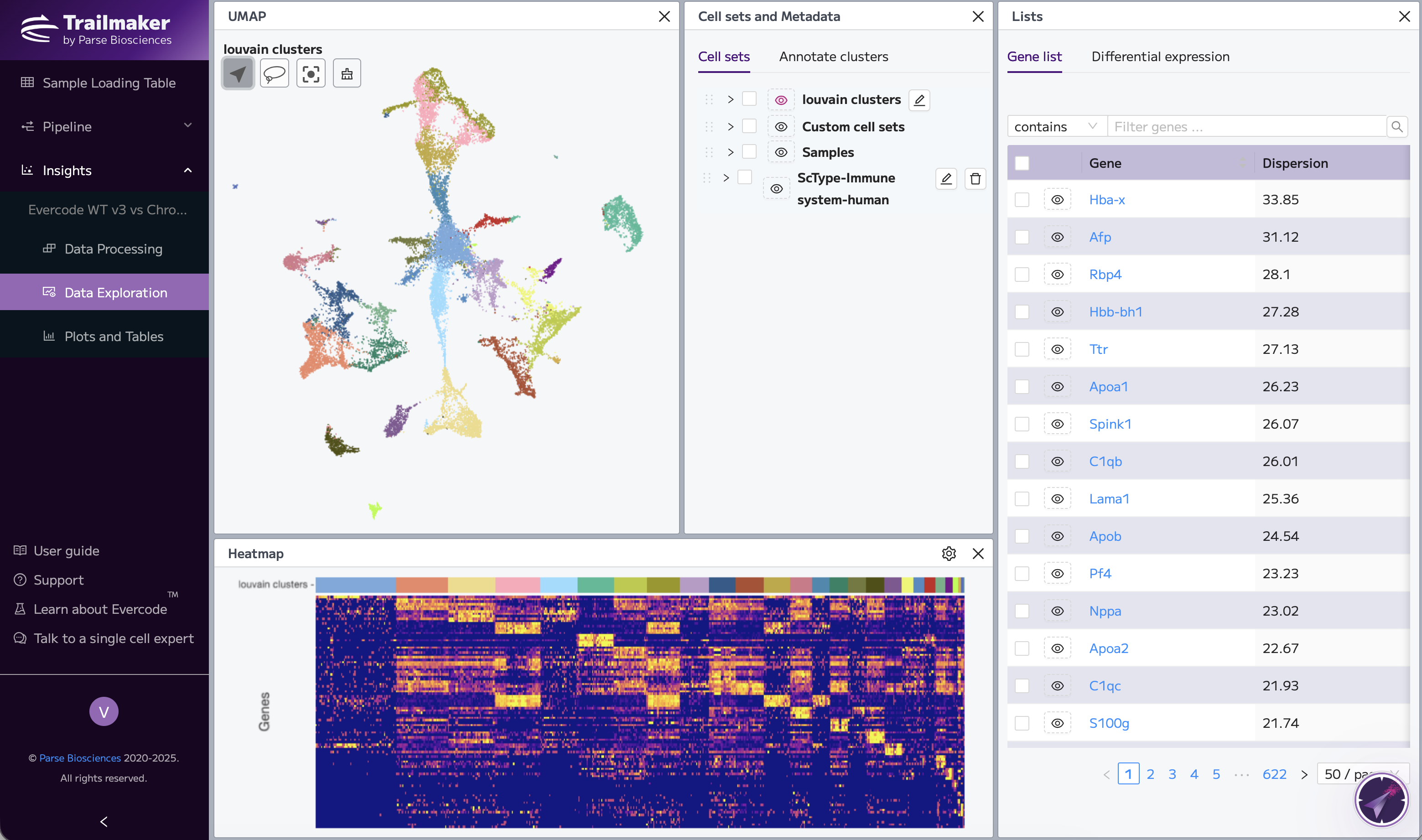
TrailGuide is an AI-powered chatbot that is trained on the public-facing Trailmaker support resources, including the user guide. The chatbot can assist with how to use Trailmaker, what features are available, and technical questions about how the platform works. However, the chatbot does not have access to your data and it cannot help with finding biological insights. None of your scientific or personal data is used to train TrailGuide.
TrailGuide is powered by https://customgpt.ai .
Raw sequencing data compatibility with Trailmaker
Raw sequencing output files are usually in the form of FASTQ or raw binary base call (BCL) files. BCL files require conversion to FASTQ format for most downstream analysis protocols. FASTQ files are large data files containing raw sequence data and quality scores.
Which raw sequencing files are compatible with Trailmaker?
- BCL files are not directly compatible with Trailmaker.
- FASTQ files generated using Parse Biosciences’ Evercode kits can be directly uploaded to the Pipeline module of Trailmaker. Specifically, Trailmaker supports FASTQ files generated using the following Parse Biosciences Evercode kits: Whole Transcriptome (WT) Mini, WT, WT Mega, WT Mega 384, WT FFPE Mini, WT FFPE, WT FFPE Mega, TCR Mini, TCR, TCR Mega, BCR Mini, BCR and BCR Mega.
- FASTQ files generated using other single cell technologies need processing to count matrices in order to be compatible with Trailmaker. Contact your single cell sequencing technology provider for more information on the relevant FASTQ file processing pipelines.
- Trailmaker only supports FASTQ files from short read libraries. Long reads are not currently supported.
These data files should be uploaded to Trailmaker’s Pipeline module.
Uploaded data are stored on Amazon Web Services (AWS) web servers located in Ireland, within the European Union (EU).
Processed data compatibility with Trailmaker
Trailmaker Insights module supports processed data files in a variety of formats and from several single cell sequencing technologies. This includes:
- Count matrices generated using Parse Biosciences’ Evercode Whole Transcriptome technology that have been processed using the Parse Biosciences Pipeline. For WT data, you should have 3 data files per sample: all_genes.csv, cell_metadata.csv, and count_matrix.mtx or DGE.mtx. For immune profiling (TCR or BCR) data, you should have 3 files: clonotype_frequency.tsv, barcode_report.tsv and either bcr_annotation_airr.tsv or tcr_annotation_airr.tsv. Immune profiling data can be uploaded with or without WT parent files.
- Count matrices generated using 10x Chromium technology that have been processed using Cell Ranger. You should have 3 data files per sample: barcodes.tsv, features.tsv or genes.tsv, and matrix.mtx.
- Data generated using BD Rhapsody in the expression_data.st file format.
- Seurat v4 or v5 objects in the .rds file format.
- H5 files in the matrix.h5 file format, such as those output from Cell Ranger.
These data files should be uploaded to Trailmaker’s Insights module.
Uploaded data are stored on Amazon Web Services (AWS) web servers located in Ireland, within the European Union (EU).
Unsupported data formats
Trailmaker's Pipeline module does not process BAM or CRAM files. These file formats would need to be converted into FASTQ files in order to be processed in Trailmaker. A reminder that the Trailmaker Pipeline module only supports the processing of FASTQ files generated using Parse Biosciences Evercode technology. Note that BAM files are one of the output file types from processing FASTQ files in the Pipeline module.
Trailmaker's Pipeline module does not support the processing of data generated using Parse Biosciences Gene Select or CRISPR Detect products.
Trailmaker's Insights module does not currently support the upload of AnnData objects in the h5ad file format. However, there are resources available online to convert the AnnData (.h5ad file format) object to Seurat (.rds file format) object - see here - which enables you to proceed with your analysis in Trailmaker™ via the upload of a Seurat object.
Trailmaker's Insights module does not currently support the upload of combined matrix file in the CSV or TSV format (note that this is different to the standard Parse or 10x formats which have 3 files per sample, which are supported by Trailmaker). Guidance on converting a combined matrix file in the CSV or TSV format is available here.
Guidance on extracting the unfiltered count matrices in a Trailmaker-compatible format from a Seurat object are available here.
Note that Trailmaker is specifically designed for single cell RNA-seq data and does not support bulk RNA-seq data.
Data limits
In terms of file size limits for upload to Trailmaker, the only limitations are:
- Individual FASTQ files uploaded to the Pipeline module must be less than 5TB in size.
- Seurat objects uploaded to the Insights module must be less than 15GB in size.
There are no limits to the number of samples, Pipeline module runs or Insights module projects that a user can upload to Trailmaker.
For Insights module projects that contain more than 1 million cells post-processing (i.e. in the Data Exploration and Plots & Tables pages), it is advisable to select Scanpy. See Step 6: Data integration for further details.